In my previous blog post I talked about how I bought a Blu-ray drive and a couple of M-Discs to use it for long-term archival backups.
Shortly after that I had the idea to use these as a last-resort, decentralized backup.
The Concept
Many people give copies of their house or apartment keys to good and trusted friends in case they lose their keys or someone needs access to the apartment when they are out of town, maybe just to water the flowers and check the mailbox or maybe in a case of emergency, whatever that might be.
Once I started burning my first Blu-rays I was thinking about what my core essential data is that I never ever want to lose. We all know people who have lost important data because they didn’t have proper backups and while having at least one backup is better than none, it’s still risky if that one backup drive lives in the same place as your main computer. In case of a catastrophic fire for example, both the computer and backup drive could be destroyed.
Insert your own worst-case scenario here. Think about what would have to happen to lose all your data or at least the data you care about the most. I know many people for whom those scenarios aren’t all that unlikely or complicated.
After contemplating all these things I thought it would be cool to get 2-3 small cases, put 3-4 Bu-Rays in each of them, pad them with foam, seal them and then give them to a few good and trusted friends. Then after maybe 1-3 years I’d replace them and make a nice little handover ceremony each cycle where I’d check whether the seal was broken and only when the old case is pristine, the new case would be handed over.
The Data
I’ll keep this section short and slightly vague because it will be different for other people what they consider essential but for me it consists of:
- All kinds of documents which I have digitized and organized with the help paperless-ngx
- My music collection which contains various gems that I never want to lose
- My photo library, not every screenshot and snapshot but albums of trips and events that I want to keep forever
- Essential things I would need if I had to reboot my digital life from scratch ie. blank computer and no access to any other backups or computers I own
As for right now I can fit all of this on 3 Blu-ray M-Discs and of course the most critical data is zipped and password protected.
Whether you want to include the password to unlock the data in the sealed box is up to you, but if you do, it can also serve as your digital legacy in case of death. It’s not uncommon that relatives of people who pass away have serious problems cancelling subscriptions and deleting accounts because they don’t know the passwords of the person who died. I’ll leave that as food for thought.
The Box
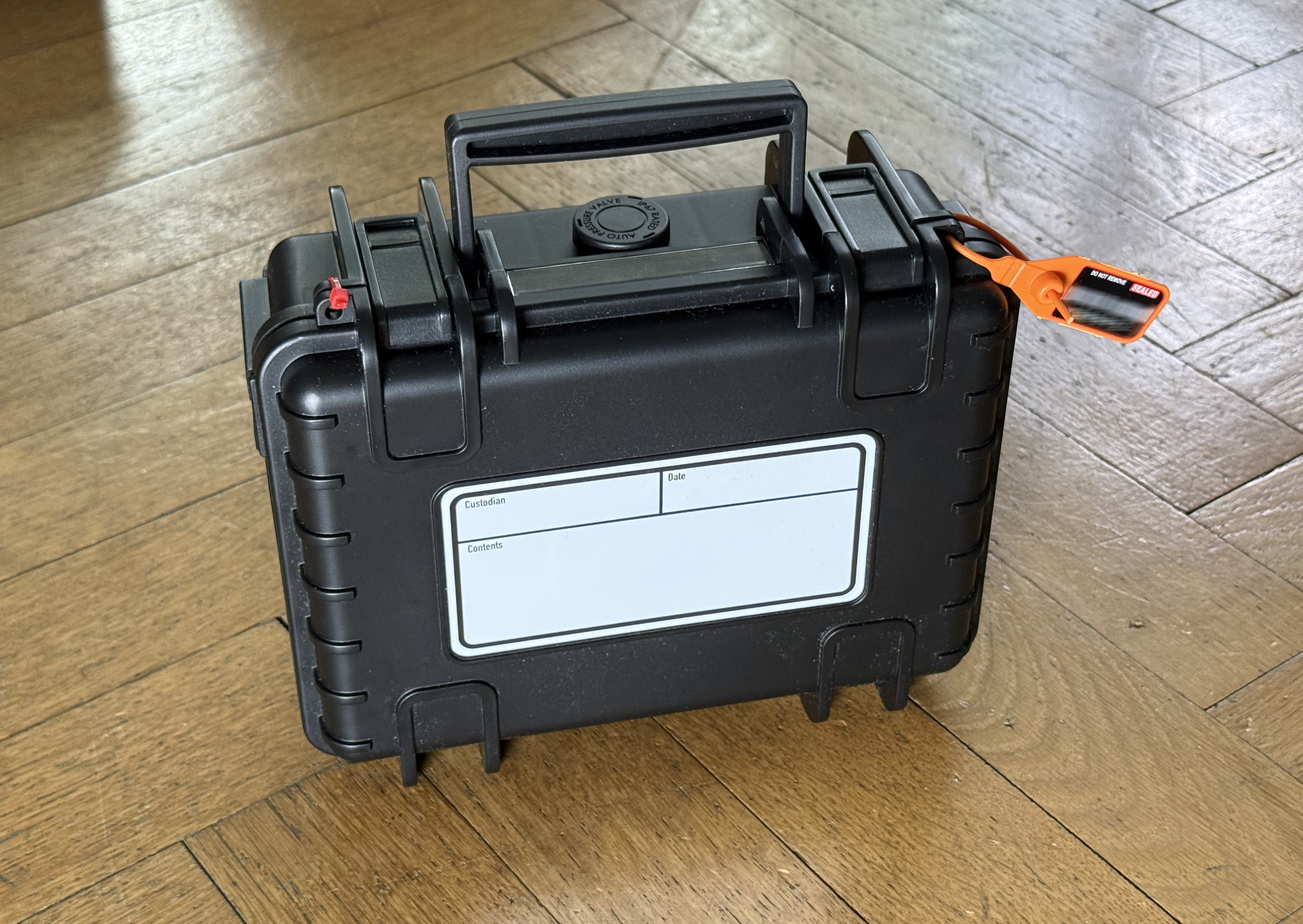
With the concept in my head and the first Blu-rays burnt it was time to find a vessel. I thought immediately about something in the style of Peli cases. Able to withstand a reasonable amount of physical tribulations, keeping out moisture and dust and still small enough that they are not a burden for the receiving custodians.
Luckily it wasn’t hard to find. I chose the B&W Outdoor Case Type 500 which was 33,74€ at the time of purchase.
It is big enough for up to 5, maybe 6 Blu-ray jewel cases, has proper solid latches, two holes for zip-ties or seals and a carry handle. The only downside are the overabundant logos the manufacturer put everywhere but I can live with that.
The Foam
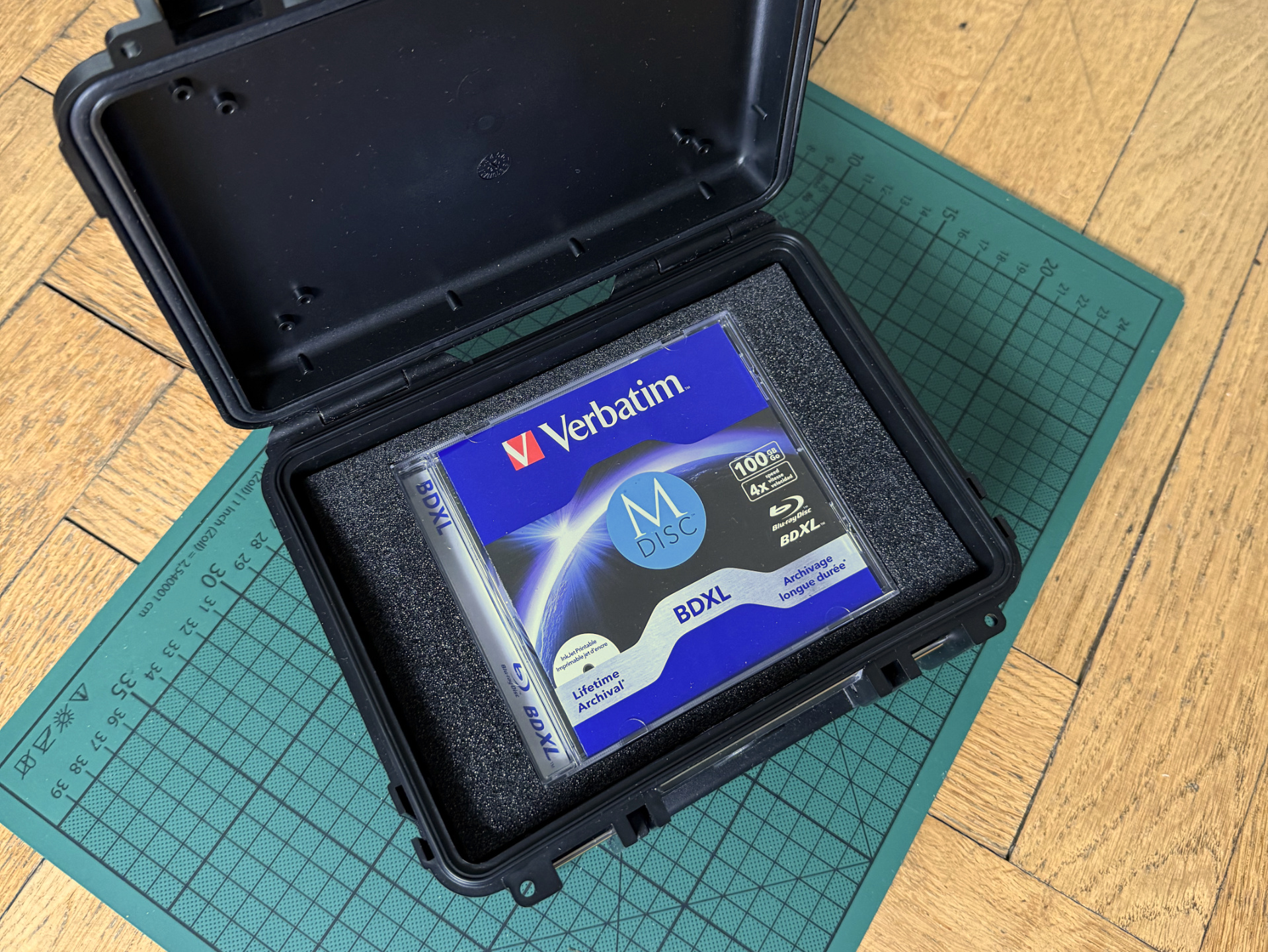
As mentioned before, I don’t want the jewel cases to rattle around in the box. I wanted them to be at least padded so that they would survive in case somebody drop it or throw it around.
I was considering something like shadow foam which all the tool people use to make their tool drawers look all fancy and organized but I went with some generic PE Foam which – and that is the important part – does not get sticky or degrade in other ways over time. I bought a roll which is 1cm thick so I can cut and layer it how I see fit. I might try something like the shadow / tool foam for later iterations but I got option paralysis looking at the various offerings.
The Label
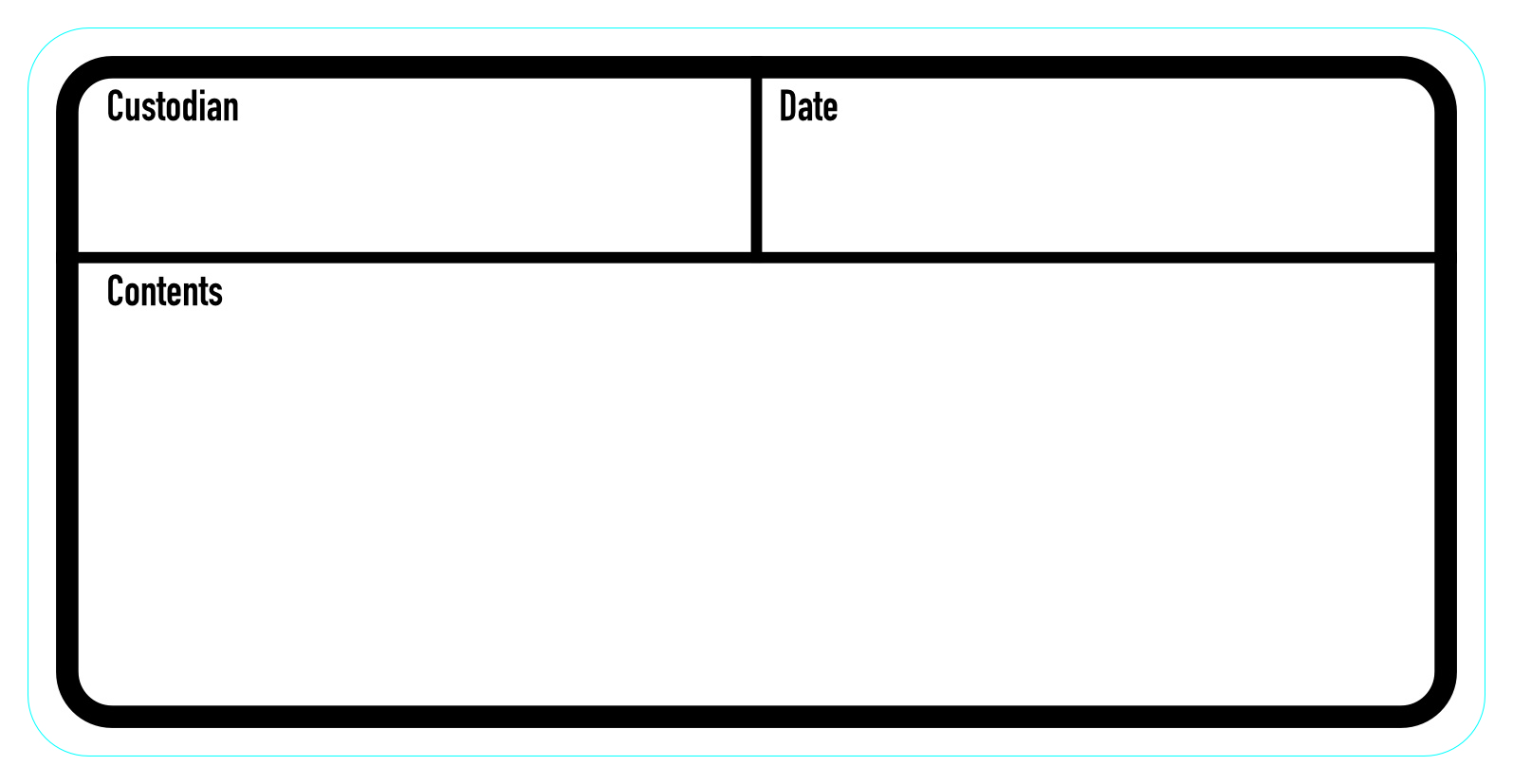
The box also needed a proper label. The box has an area for a label on the front but unfortunately they are not selling matching label stickers. So following the Mythbusters motto of “If it’s worth doing, it’s worth overdoing” I designed my own label stickers and sent them to a sticker printer. They look like this:
The Seal
Of course I could’ve just used two zip ties to «seal» the box but they can be replaced easily if you cut them to open the box. Especially after a few years I wouldn’t know if the zip tie is still pristine and original. Instead I wanted a proper seal which would tell you upon visual inspection if it was tampered with.
Again this was surprisingly easy to achieve. There are many variants to choose from. In the end I went with a plastic seal which has a serial number and barcode on it and which can only be opened by breaking it. Regular zip ties can be opened with a small screw driver for example.
Can this not be reproduced by crafty and sophisticated people you may ask? I’m sure it can and if your personal paranoia level does not allow for that scenario then don’t give the password to the custodian of your backup.
My scenario is that I will seal it as described, label it, take a picture, particularly of the seal (with barcode and number) and I will inspect and compare whenever I refresh the backup. That is good enough for me and the security scheme that I came up with, which I’m not fully disclosing – get creative 🙂
However it is worthwhile to consider what data to put inside the boxes, what you don’t want to lose and what data is ok to be accessed by other, trusted people. Not just for this scenario.
Candy
Yes … I also put in a selica gel bag for extra moisture protection / detection. The ones that are orange when dry and green when wet. Are they necessary? No – but if it’s worth doing … 🙂
The Materials
(links to German stores but I’m sure you’ll find equivalents in case you need to)
- Case: B&W outdoor.case Type 500
- Foam: Adam Hall 019310 B Plastazote LD29 PE-Schaumstoff 10 mm
- Seals: https://www.plomben.de/plombenarten/durchziehplomben/
- Labels printed at: https://www.stickma.de
If you’re like me you might enjoy browsing the shops where I got the foam and seals. I learned about many interesting products for future projects!
The Name
Holocron is somewhat fitting as it is an optical storage medium and its definition is fitting as well:
Holocrons were information-storage devices used by both the Jedi Order and the Sith that contained ancient lessons or valuable information in holographic form. They appeared as palm-sized, glowing polyhedrons of crystalline material and hardware, and could only be activated and used through the power of the Force.
Ideas For Improvement / Your own versions
If you have suggestions for improvement or you make your own versions, please let me know! I’m curious where this takes your creativity!